VSCode HppCppViewer
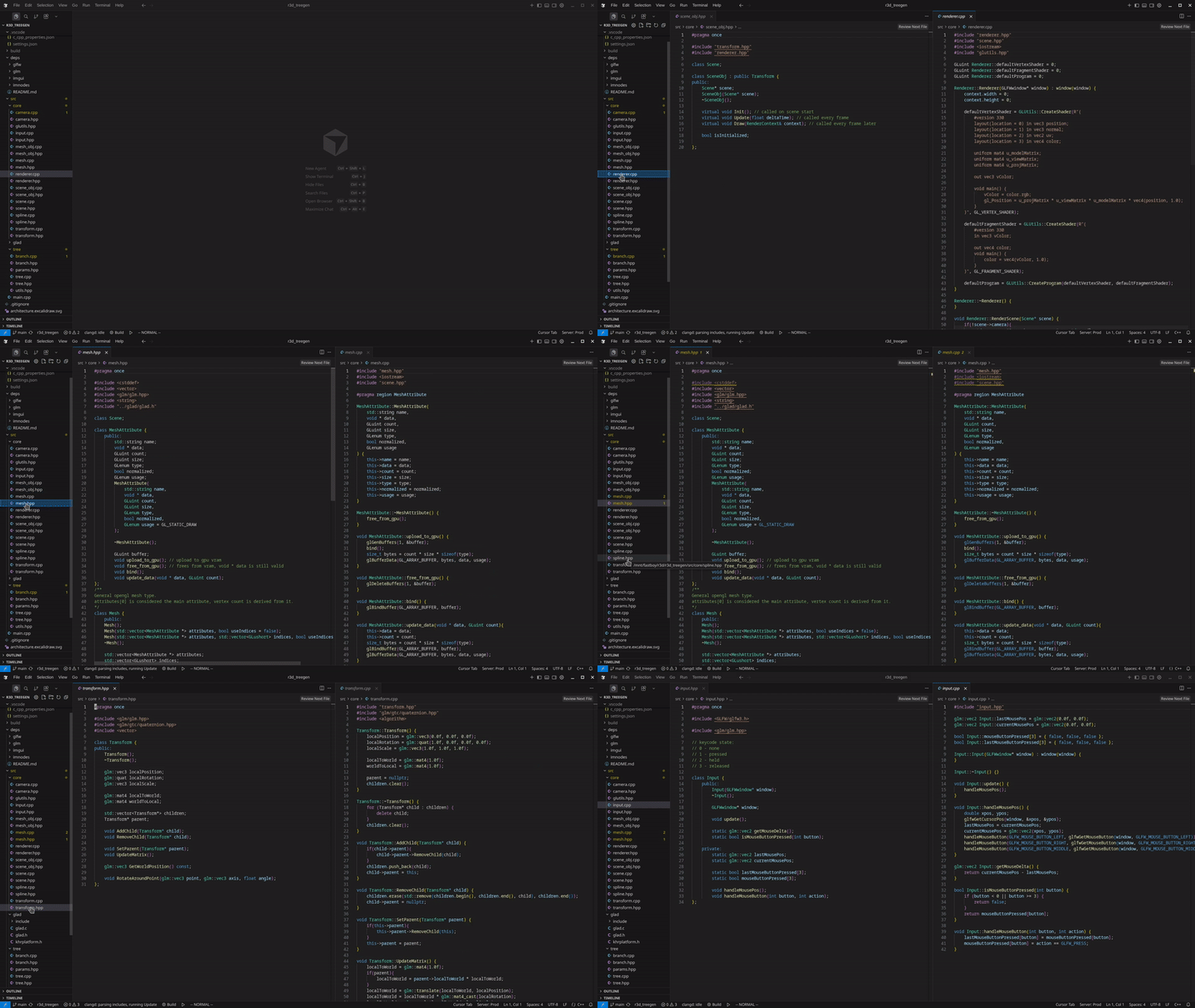 https://github.com/artkalev/hppcppviewer
When working on C++ projects I usually prefer to open both the header and implementation (.hpp and .cpp) side by side, with the header being on the left and implementation on the right.
This way I always have quick access to modify either one of them and a constant overview of the header while working on implementation.
After a while I started to feel like too much time was being spent on setting up the split view each time. And the default panel behaviour lead to always having 20+ tabs open on each side.
This is why I decided to try out creating a VSCode extension for the first time to make this small thing a bit easier for myself.
The logic flow of the extension is straightforward:
- Click a file (.hpp or .cpp)
- Find if it has the corresponding file
- Create the split view panel
- Open the .hpp on the left and .cpp on the right
That’s it. I only cared about this specific flow so the whole extension code is very small: under 100 lines.
I will be using this extension on my c++ projects going forward. Its too barebones for now to release it to the extension store. If there is wider interest for this kind of extension I will polish and publish it in the future.
Anyway, the current vsix package is up on my github repo releases: https://github.com/artkalev/hppcppviewer/releases/tag/v0.5.0-alpha